Installing vCenter without DNS and NTP requires a few changes from the normal setup.
I recently installed vCenter in an isolated environment. The installer is unforgiving if DNS and NTP are unavailable.
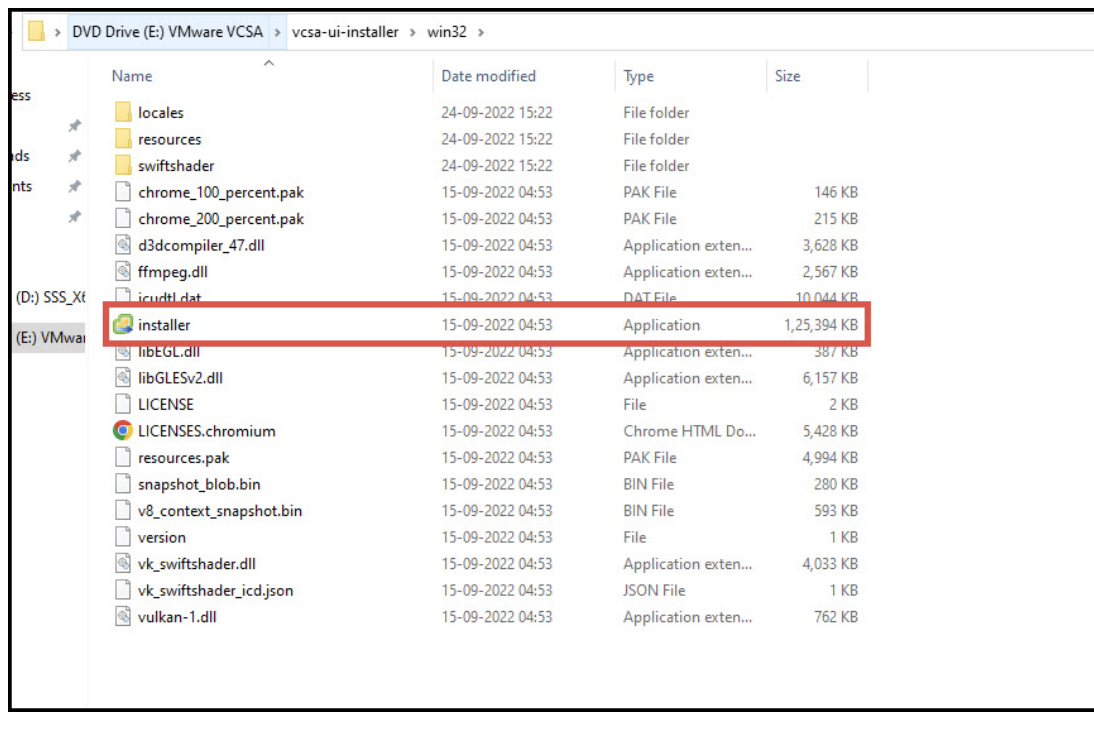
Mount the downloaded ISO and open setup.exe in vcsa-ui-installer.
Choose a basic installation:
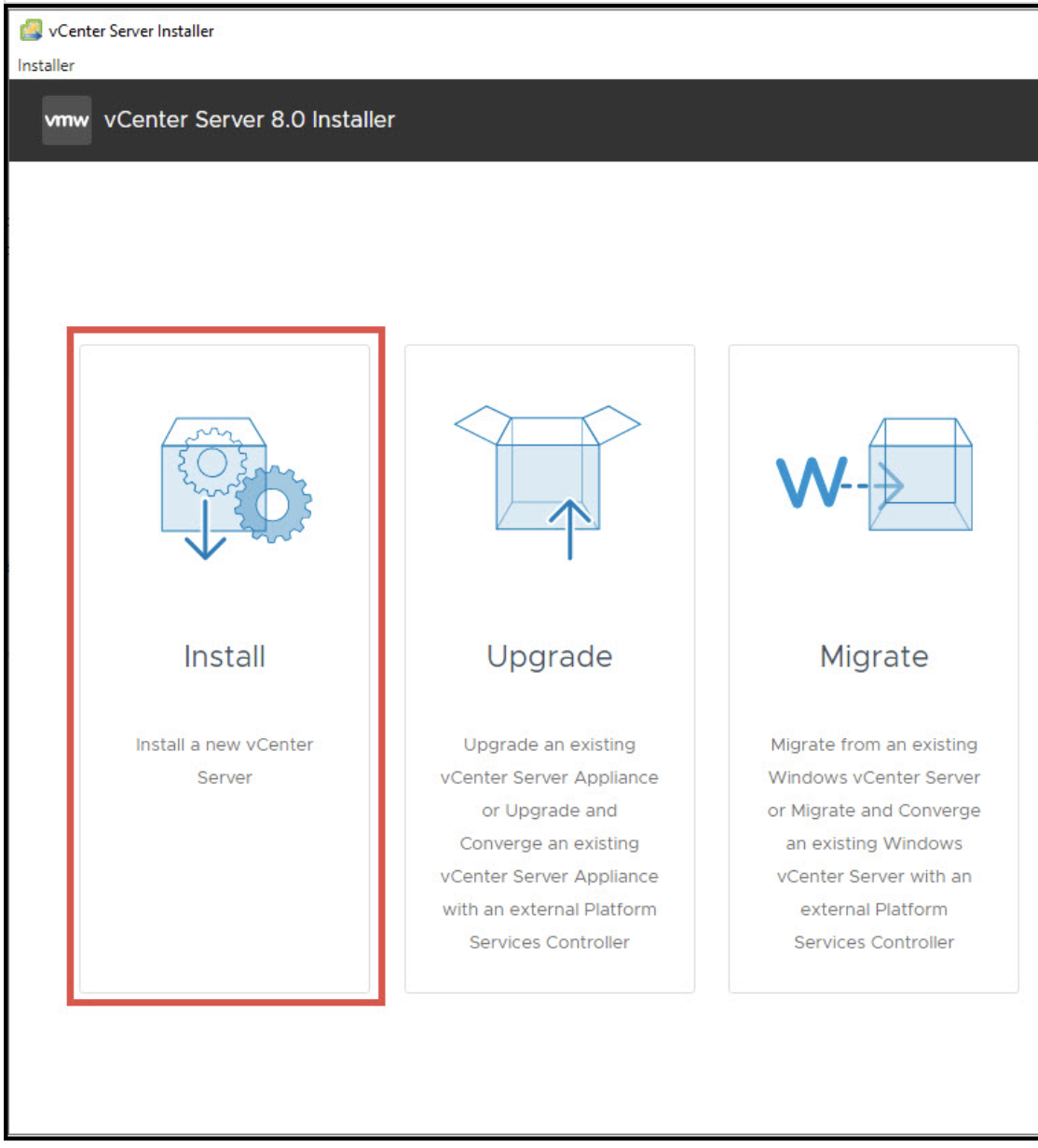
Continue through the setup until you reach the network settings:
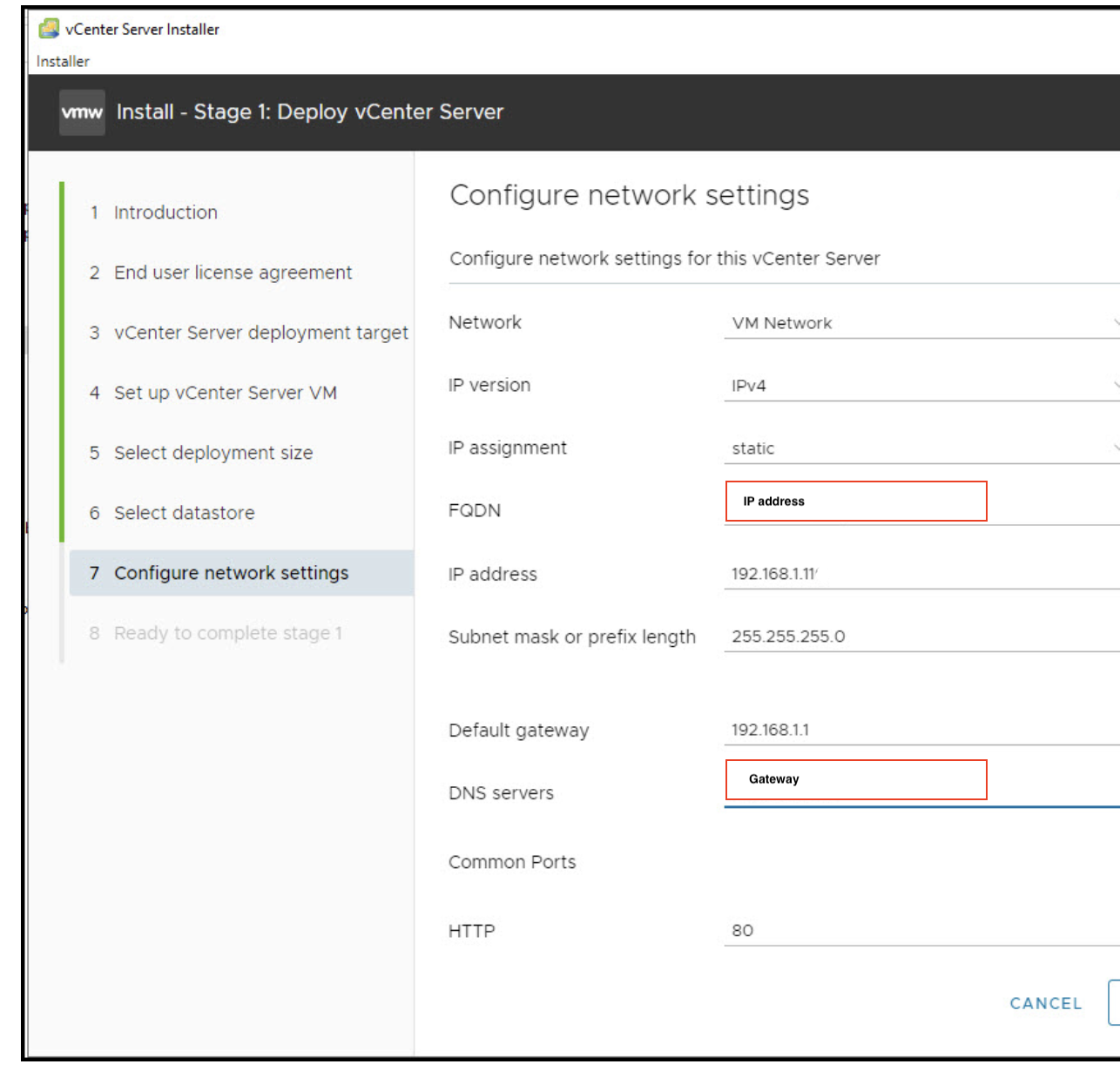
In the network setup, change 2 settings:
Use the IP address instead of an FQDN.
The DNS server field does not accept 127.0.0.1, so use the gateway address.
After the first setup phase, the installer asks for an NTP source.
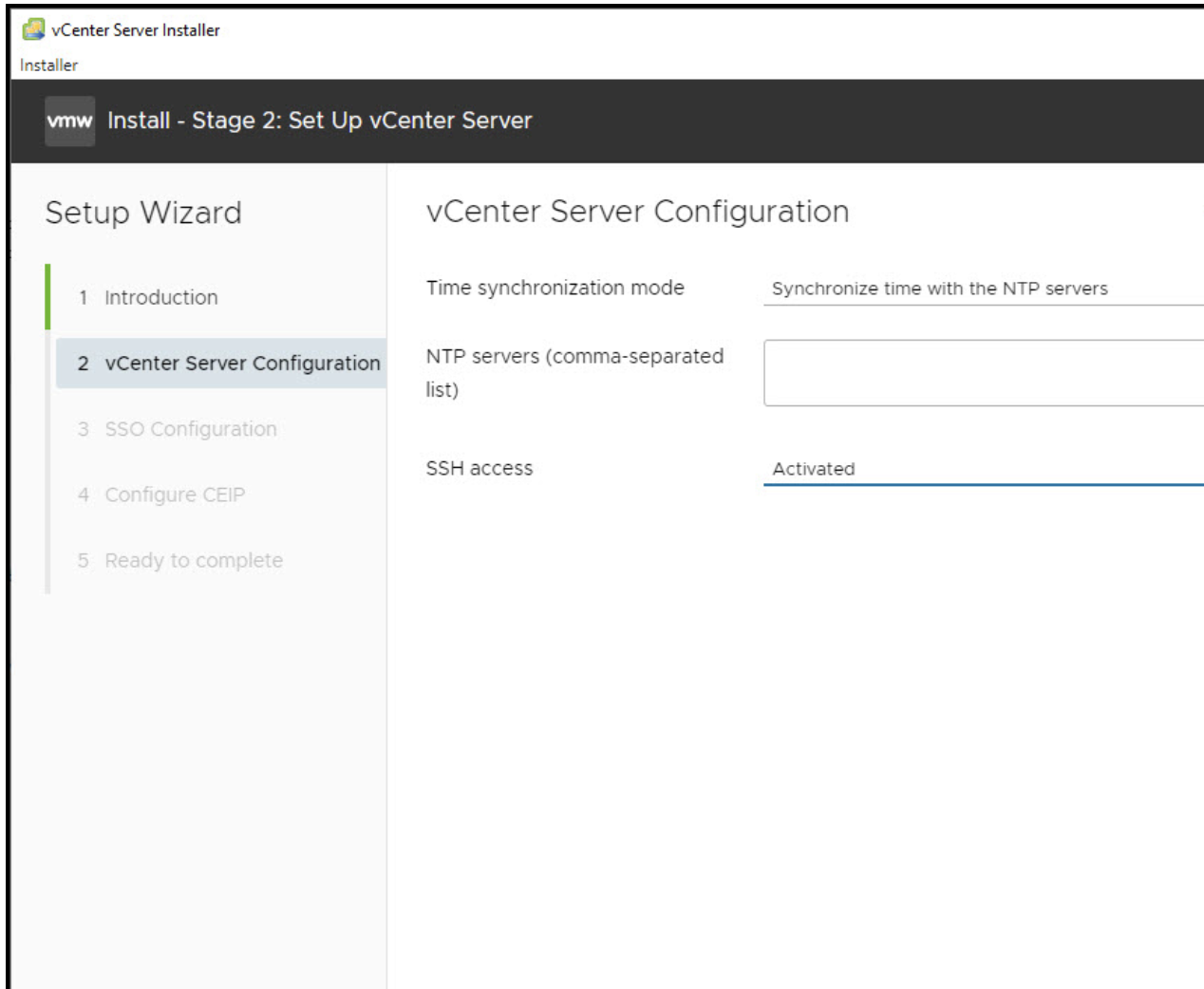
If NTP is unavailable, choose Synchronize time with the ESXi host.
Complete the remaining steps and wait for vCenter to start.
In my testing, the DNS validation became stricter from vCenter 8.01 to 8.02. The 8.0u1c installer was easier to use without DNS than u2.
If you have a some failed attempts like i did, you need to clean up your vsan config on your target host:
Cleanup vSAN Configuration
ssh to your ESXi host and do: esxcli vsan cluster leave.
check the output of: esxcli vsan storage list and get the “VSAN Disk Group UUID”
continue with: esxcli vsan storage remove -u
Repeat on the second node.
reboot node
If this does not work there are some excellent “small footprint” DNS servers like Bind and MaraDNS that you can install on a Linux server, like Ubuntu.
Be sure to do the setup before you import the vm into the zone without internet and DNS. This is because Bind , MAKE and MaraDNS are not default packages in the standard linux image, but some distros have a full/complete image, so unless you have a proxy possibility to do a “apt-get install Bind”, use that image instead.
Doing the config, export vm as *.ova, and import it to your dark site could be a solution.
A small windows server2022 with DNS services is also a possibility, just to have a standalone mgmt DNS service for VMware, and here you can configure everything from the CD.