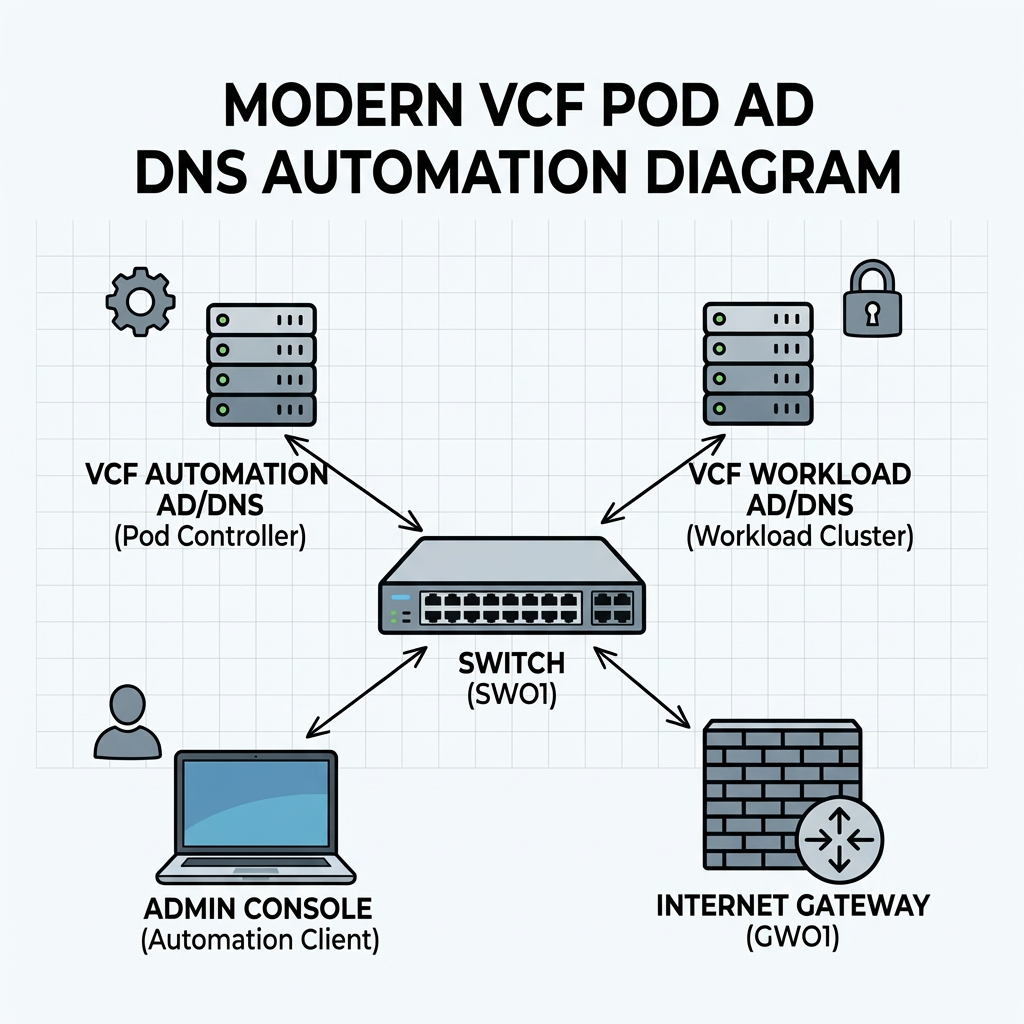
Objective: Creating a complete nested pod from scratch containing ad/dc/dns, tftp, ntp and a complete VCF installation.
🔗 Source code: github.com/vidingeb/vcf-ad-automation
starting with automating the setup process in windows server in my new LAB.
already configured an ipblock in my external fw based on /16, and created vlan and interface in the virtual fw for my mgmt network.
already have a std windows 2022 server configured with static IP and a lokal admin.
Script functionality
The script automates the initial configuration of a Windows server that will function as an Active Directory domain controller and DNS server. It performs the following configuration steps:
Configures the server hostname
Verifies and disables Windows Defender Firewall
Disables Internet Explorer Enhanced Security Configuration
Enables Remote Desktop
Sets the system timezone
Configures time synchronization against a specified NTP source
Installs the AD DS and DNS Server roles
Creates a new Active Directory domain
Creates an administrative account and adds it to the Domain Admins group
Creates additional standard user accounts
Creates a reverse DNS lookup zone for the target subnet
Creates both forward (A) and reverse (PTR) DNS records for the domain controller
Configures DNS forwarders
Creates a baseline OU structure for administration and organization:
Servers
Edit the configuration section to fit your needs.
  1
  2
  3
  4
  5
  6
  7
  8
  9
 10
 11
 12
 13
 14
 15
 16
 17
 18
 19
 20
 21
 22
 23
 24
 25
 26
 27
 28
 29
 30
 31
 32
 33
 34
 35
 36
 37
 38
 39
 40
 41
 42
 43
 44
 45
 46
 47
 48
 49
 50
 51
 52
 53
 54
 55
 56
 57
 58
 59
 60
 61
 62
 63
 64
 65
 66
 67
 68
 69
 70
 71
 72
 73
 74
 75
 76
 77
 78
 79
 80
 81
 82
 83
 84
 85
 86
 87
 88
 89
 90
 91
 92
 93
 94
 95
 96
 97
 98
 99
100
101
102
103
104
105
106
107
108
109
110
111
112
113
114
115
116
117
118
119
120
121
122
123
124
125
126
127
128
129
130
131
132
133
134
135
136
137
138
139
140
141
142
143
144
145
146
147
148
149
150
151
152
153
154
155
156
157
158
159
160
161
162
163
164
165
166
167
168
169
170
171
172
173
174
175
176
177
178
179
180
181
182
183
184
185
186
187
188
189
190
191
192
193
194
195
196
197
198
199
200
201
202
203
204
205
206
207
208
209
210
211
212
213
214
215
216
217
218
219
220
221
222
223
224
225
226
227
228
229
230
231
232
233
234
235
236
237
238
239
240
241
242
243
244
245
246
247
248
249
250
251
252
253
254
255
256
257
258
259
260
261
262
263
264
265
266
267
268
269
270
271
272
273
274
275
276
277
278
279
280
281
282
283
284
285
286
287
288
289
290
291
292
293
294
295
296
297
298
299
300
301
302
303
304
305
306
307
308
309
310
311
312
313
314
315
316
317
318
319
| #requires -RunAsAdministrator
param(
[ValidateSet("Stage0","Stage1","Stage2")]
[string]$Stage = "Stage0"
)
$ErrorActionPreference = "Stop"
$ComputerName = "addc01"
$DomainName = "bervid.local"
$NetBIOSName = "BERVID"
$ServerIPv4 = "xx.3.xx.10"
$PrefixLength = 24
$DefaultGateway = "xx.3.xx.1"
$PreferredDNS = "127.0.0.1"
$NtpServer = "ntp.uio.no"
$ReverseNetworkId = "xx.3.xx.0/24"
$ReverseZoneName = "xx.3.xx.in-addr.arpa"
$DefaultUserPwd = "VMware123!"
$SafeModePassword = "VMware123!"
$UsersToCreate = @("bervid","user1","user2","user3")
$DnsForwarders = @("1.1.1.1","8.8.8.8")
$ScriptPath = $MyInvocation.MyCommand.Path
$TranscriptPath = "C:\Build-ADDS-Lab-DC01-v4.log"
$TaskStage1 = "Build-ADDS-Lab-DC01-v4-Stage1"
$TaskStage2 = "Build-ADDS-Lab-DC01-v4-Stage2"
Start-Transcript -Path $TranscriptPath -Append | Out-Null
if ($PSVersionTable.PSEdition -ne 'Desktop') {
throw "Run this in Windows PowerShell 5.1 (powershell.exe), not pwsh."
}
function Write-Step { param([string]$Message) Write-Host ""; Write-Host "=== $Message ===" -ForegroundColor Cyan }
function Get-BaseDN { ($DomainName.Split(".") | ForEach-Object { "DC=$_" }) -join "," }
function Register-StartupTask {
param([string]$TaskName,[string]$NextStage)
$action = New-ScheduledTaskAction -Execute "PowerShell.exe" -Argument "-ExecutionPolicy Bypass -File `"$ScriptPath`" -Stage $NextStage"
$trigger = New-ScheduledTaskTrigger -AtStartup
$principal = New-ScheduledTaskPrincipal -UserId "SYSTEM" -LogonType ServiceAccount -RunLevel Highest
$task = New-ScheduledTask -Action $action -Trigger $trigger -Principal $principal
Register-ScheduledTask -TaskName $TaskName -InputObject $task -Force | Out-Null
}
function Remove-StartupTask {
param([string]$TaskName)
Unregister-ScheduledTask -TaskName $TaskName -Confirm:$false -ErrorAction SilentlyContinue
}
function Ensure-StaticIP {
Write-Step "Checking IPv4 configuration"
$adapter = Get-NetAdapter | Where-Object Status -eq "Up" | Sort-Object ifIndex | Select-Object -First 1
if (-not $adapter) { throw "No active network adapter found." }
$existing = Get-NetIPAddress -InterfaceIndex $adapter.ifIndex -AddressFamily IPv4 -ErrorAction SilentlyContinue |
Where-Object { $_.IPAddress -ne "127.0.0.1" -and $_.IPAddress -notlike "169.254*" }
if (-not $existing -or ($existing | Select-Object -First 1).IPAddress -ne $ServerIPv4) {
$existing | ForEach-Object {
try { Remove-NetIPAddress -InterfaceIndex $adapter.ifIndex -IPAddress $_.IPAddress -Confirm:$false -ErrorAction Stop } catch {}
}
Get-NetRoute -InterfaceIndex $adapter.ifIndex -DestinationPrefix "0.0.0.0/0" -ErrorAction SilentlyContinue |
Remove-NetRoute -Confirm:$false -ErrorAction SilentlyContinue
New-NetIPAddress -InterfaceIndex $adapter.ifIndex -IPAddress $ServerIPv4 -PrefixLength $PrefixLength -DefaultGateway $DefaultGateway | Out-Null
}
Set-DnsClientServerAddress -InterfaceIndex $adapter.ifIndex -ServerAddresses $PreferredDNS
}
function Disable-Firewall {
Write-Step "Checking Windows Defender Firewall"
if (Get-NetFirewallProfile | Where-Object Enabled -eq "True") {
Set-NetFirewallProfile -Profile Domain,Private,Public -Enabled False
}
Get-NetFirewallProfile | Select-Object Name, Enabled | Format-Table -AutoSize
}
function Disable-IESecurity {
Write-Step "Disabling IE Enhanced Security Configuration"
$adminKey = "HKLM:\SOFTWARE\Microsoft\Active Setup\Installed Components\{A509B1A7-37EF-4B3F-8CFC-4F3A74704073}"
$userKey = "HKLM:\SOFTWARE\Microsoft\Active Setup\Installed Components\{A509B1A8-37EF-4B3F-8CFC-4F3A74704073}"
foreach ($key in @($adminKey, $userKey)) {
if (Test-Path $key) { Set-ItemProperty -Path $key -Name "IsInstalled" -Value 0 -Type DWord }
}
}
function Enable-RDP {
Write-Step "Enabling Remote Desktop"
Set-ItemProperty -Path "HKLM:\System\CurrentControlSet\Control\Terminal Server" -Name "fDenyTSConnections" -Value 0
Enable-NetFirewallRule -DisplayGroup "Remote Desktop" -ErrorAction SilentlyContinue | Out-Null
}
function Set-TimeConfig {
Write-Step "Configuring time zone and NTP"
tzutil /s "W. Europe Standard Time"
w32tm /config /manualpeerlist:$NtpServer /syncfromflags:manual /reliable:yes /update | Out-Null
Restart-Service w32time -Force
Start-Sleep -Seconds 3
w32tm /resync /force | Out-Null
}
function Ensure-HostNameOrReboot {
Write-Step "Setting hostname"
if ($env:COMPUTERNAME -ne $ComputerName) {
Rename-Computer -NewName $ComputerName -Force
Remove-StartupTask -TaskName $TaskStage1
Remove-StartupTask -TaskName $TaskStage2
Register-StartupTask -TaskName $TaskStage1 -NextStage "Stage1"
Restart-Computer -Force
exit
}
}
function Install-ADDSAndPromote {
Write-Step "Installing AD DS and DNS"
Import-Module ServerManager -ErrorAction Stop
Install-WindowsFeature AD-Domain-Services, DNS -IncludeManagementTools
Remove-StartupTask -TaskName $TaskStage2
Register-StartupTask -TaskName $TaskStage2 -NextStage "Stage2"
Write-Step "Promoting server to new forest/domain"
$smPwd = ConvertTo-SecureString $SafeModePassword -AsPlainText -Force
Install-ADDSForest `
-DomainName $DomainName `
-DomainNetbiosName $NetBIOSName `
-InstallDNS `
-SafeModeAdministratorPassword $smPwd `
-Force `
-NoRebootOnCompletion:$false
}
function Wait-ForAD {
Write-Step "Waiting for Active Directory services"
$max = 30; $count = 0
do {
Start-Sleep -Seconds 10
$count++
$adReady = Get-Service NTDS -ErrorAction SilentlyContinue
} until (($adReady -and $adReady.Status -eq "Running") -or $count -ge $max)
if (-not $adReady -or $adReady.Status -ne "Running") {
throw "Active Directory services did not become ready in time."
}
}
function Ensure-OU {
param([string]$Name,[string]$Path)
$ouDn = "OU=$Name,$Path"
if (-not (Get-ADOrganizationalUnit -LDAPFilter "(distinguishedName=$ouDn)" -ErrorAction SilentlyContinue)) {
New-ADOrganizationalUnit -Name $Name -Path $Path -ProtectedFromAccidentalDeletion $false
}
}
function Create-OUStructure {
Write-Step "Creating OU structure"
Import-Module ActiveDirectory
$baseDN = Get-BaseDN
Ensure-OU -Name "Servers" -Path $baseDN
Ensure-OU -Name "Users" -Path $baseDN
Ensure-OU -Name "Service Accounts" -Path $baseDN
}
function Create-DomainUsers {
Write-Step "Creating additional domain users"
Import-Module ActiveDirectory
$securePwd = ConvertTo-SecureString $DefaultUserPwd -AsPlainText -Force
$usersOU = "OU=Users,$((Get-BaseDN))"
foreach ($u in $UsersToCreate) {
$existing = Get-ADUser -Filter "SamAccountName -eq '$u'" -ErrorAction SilentlyContinue
if (-not $existing) {
New-ADUser `
-Name $u `
-SamAccountName $u `
-UserPrincipalName "$u@$DomainName" `
-Path $usersOU `
-AccountPassword $securePwd `
-Enabled $true `
-PasswordNeverExpires $true
}
}
Add-ADGroupMember -Identity "Domain Admins" -Members "bervid" -ErrorAction SilentlyContinue
}
function Ensure-ReverseZone {
Write-Step "Ensuring reverse lookup zone"
Import-Module DnsServer
$zone = Get-DnsServerZone -Name $ReverseZoneName -ErrorAction SilentlyContinue
if (-not $zone) {
Add-DnsServerPrimaryZone -NetworkId $ReverseNetworkId -ReplicationScope "Domain"
}
}
function Ensure-DNSRecords {
Write-Step "Ensuring A and PTR records for addc01"
Import-Module DnsServer
$aRecord = Get-DnsServerResourceRecord -ZoneName $DomainName -Name $ComputerName -RRType "A" -ErrorAction SilentlyContinue
if (-not $aRecord) {
Add-DnsServerResourceRecordA -ZoneName $DomainName -Name $ComputerName -IPv4Address $ServerIPv4
}
$lastOctet = ($ServerIPv4 -split '\.')[-1]
$existingPTR = Get-DnsServerResourceRecord -ZoneName $ReverseZoneName -Name $lastOctet -RRType PTR -ErrorAction SilentlyContinue
if (-not $existingPTR) {
Add-DnsServerResourceRecordPtr -ZoneName $ReverseZoneName -Name $lastOctet -PtrDomainName "$ComputerName.$DomainName"
}
}
function Set-DNSForwarders {
Write-Step "Configuring DNS forwarders"
Import-Module DnsServer
$current = (Get-DnsServerForwarder -ErrorAction SilentlyContinue).IPAddress.IPAddressToString
if ((@($current) -join ",") -ne (@($DnsForwarders) -join ",")) {
Set-DnsServerForwarder -IPAddress $DnsForwarders -UseRecurse $true
}
}
function Add-CheckResult {
param([string]$Name,[bool]$Passed,[string]$Detail)
[PSCustomObject]@{ Check=$Name; Status=$(if($Passed){"PASS"}else{"FAIL"}); Detail=$Detail }
}
function Final-Checks {
Write-Step "Final validation summary"
Import-Module ActiveDirectory
Import-Module DnsServer
$results = @()
$baseDN = Get-BaseDN
$results += Add-CheckResult "Hostname" ($env:COMPUTERNAME -eq $ComputerName) $env:COMPUTERNAME
try {
$domain = Get-ADDomain
$results += Add-CheckResult "Domain created" ($domain.DNSRoot -eq $DomainName) $domain.DNSRoot
} catch {
$results += Add-CheckResult "Domain created" $false $_.Exception.Message
}
foreach ($ou in @("Servers","Users","Service Accounts")) {
$ouDn = "OU=$ou,$baseDN"
$exists = Get-ADOrganizationalUnit -LDAPFilter "(distinguishedName=$ouDn)" -ErrorAction SilentlyContinue
$results += Add-CheckResult "OU $ou" ([bool]$exists) $ouDn
}
foreach ($u in $UsersToCreate) {
$user = Get-ADUser -Filter "SamAccountName -eq '$u'" -ErrorAction SilentlyContinue
$results += Add-CheckResult "User $u" ([bool]$user) $(if ($user) { $user.UserPrincipalName } else { "Missing" })
}
$bervidDA = Get-ADGroupMember "Domain Admins" -ErrorAction SilentlyContinue | Where-Object { $_.SamAccountName -eq "bervid" }
$results += Add-CheckResult "bervid in Domain Admins" ([bool]$bervidDA) $(if ($bervidDA) { "Member" } else { "Missing" })
$rev = Get-DnsServerZone -Name $ReverseZoneName -ErrorAction SilentlyContinue
$results += Add-CheckResult "Reverse zone" ([bool]$rev) $ReverseZoneName
$aRecord = Get-DnsServerResourceRecord -ZoneName $DomainName -Name $ComputerName -RRType "A" -ErrorAction SilentlyContinue
$results += Add-CheckResult "A record addc01" ([bool]$aRecord) "$ComputerName.$DomainName"
$lastOctet = ($ServerIPv4 -split '\.')[-1]
$ptr = Get-DnsServerResourceRecord -ZoneName $ReverseZoneName -Name $lastOctet -RRType PTR -ErrorAction SilentlyContinue
$results += Add-CheckResult "PTR record addc01" ([bool]$ptr) $ServerIPv4
$currentForwarders = (Get-DnsServerForwarder -ErrorAction SilentlyContinue).IPAddress.IPAddressToString
$forwardersOk = ((@($currentForwarders) -join ",") -eq (@($DnsForwarders) -join ","))
$results += Add-CheckResult "DNS forwarders" $forwardersOk (@($currentForwarders) -join ", ")
$results | Format-Table -AutoSize
$failCount = @($results | Where-Object Status -eq "FAIL").Count
if ($failCount -eq 0) {
Write-Host "`nDC01 build summary: SUCCESS" -ForegroundColor Green
} else {
Write-Host "`nDC01 build summary: COMPLETED WITH ISSUES ($failCount failed checks)" -ForegroundColor Yellow
}
}
switch ($Stage) {
"Stage0" {
Write-Step "Stage 0 starting"
Ensure-StaticIP
Disable-Firewall
Disable-IESecurity
Enable-RDP
Set-TimeConfig
Ensure-HostNameOrReboot
Install-ADDSAndPromote
}
"Stage1" {
Write-Step "Stage 1 starting"
Remove-StartupTask -TaskName $TaskStage1
Ensure-StaticIP
Disable-Firewall
Disable-IESecurity
Enable-RDP
Set-TimeConfig
Install-ADDSAndPromote
}
"Stage2" {
Write-Step "Stage 2 starting"
Remove-StartupTask -TaskName $TaskStage2
Wait-ForAD
Create-OUStructure
Create-DomainUsers
Ensure-ReverseZone
Ensure-DNSRecords
Set-DNSForwarders
Final-Checks
}
}
Stop-Transcript | Out-Null
|
How to run:
1
2
| Set-ExecutionPolicy Bypass -Scope Process -Force
.\Build-ADDS-Lab-DC01-v4.ps1
|
Server will promote to DC and restart. After reboot phase 2 will continue via scheduled task.
To run it i thought the easiest would be to copy directly via RDP, but since my pod was behind a virtual pfsense i had to create a rule to allow MS RDP 3389 both in physical and virtual pfsense. Then i had powershell in RDP and copied what i needed.
 1
 2
 3
 4
 5
 6
 7
 8
 9
10
11
12
13
14
15
16
17
18
19
20
21
22
23
24
25
26
27
28
29
30
| RDP traffic flow example
[Admin PC]
192.168.50.25
|
| TCP 3389
v
[Edge Firewall]
Route: 172.20.0.0/16 -> 192.168.50.13
|
| forwarded toward pod firewall
v
[Pod Firewall - WAN]
192.168.50.13
Rule needed here:
Allow TCP 3389
Source: 192.168.50.0/24
Destination: 172.20.10.0/24
|
| routed into pod management VLAN
v
[Pod Management Network]
172.20.10.0/24
VLAN 310
|
v
[Windows Server]
dc01.example.local
172.20.10.10
RDP listening on TCP 3389
|
So lets run it:
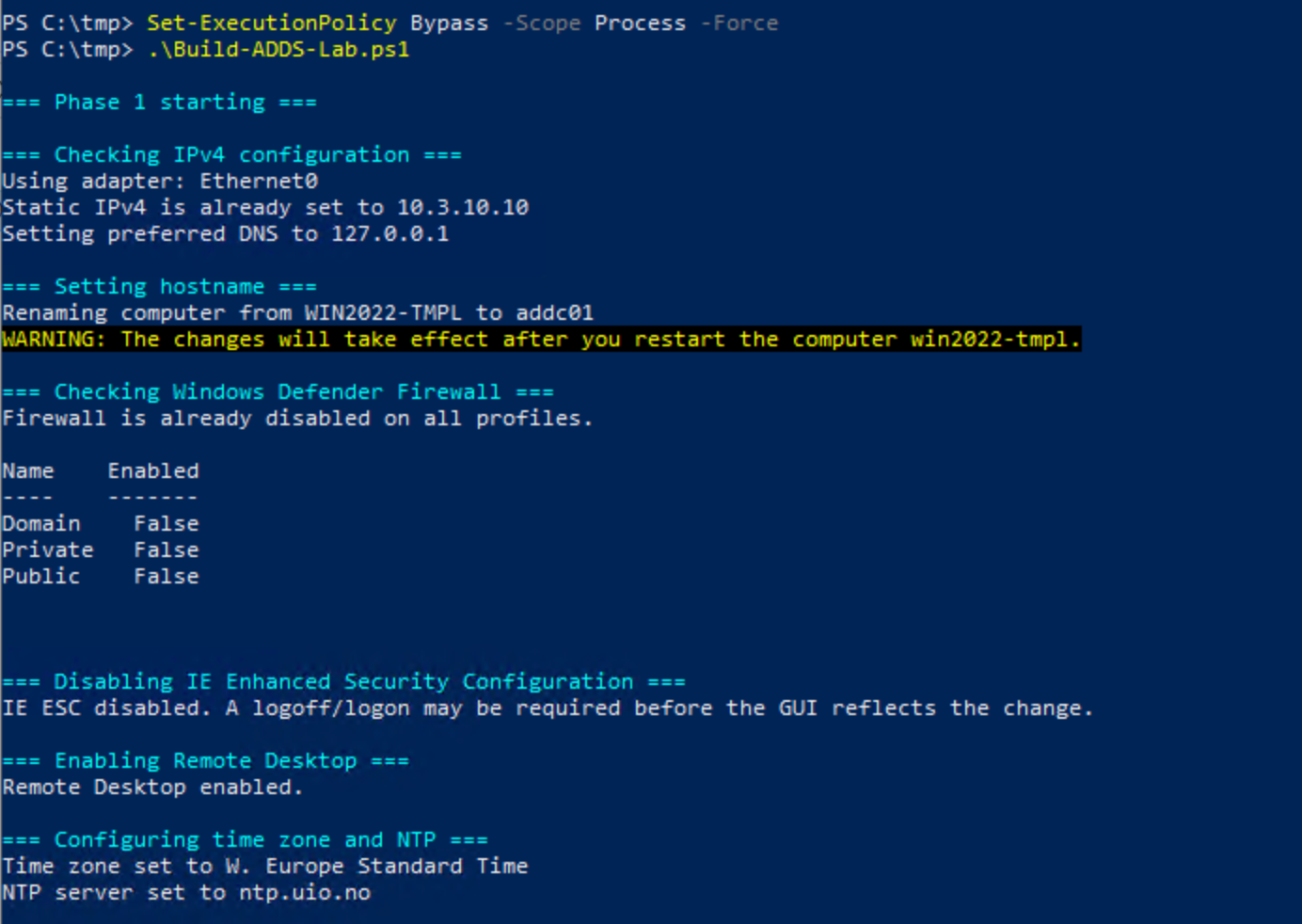
It renames, needs a reboot before it can continue. In my first version it failed with an error because of the renaming needs a boot, so in that case, restart and run the script, it will just continue.
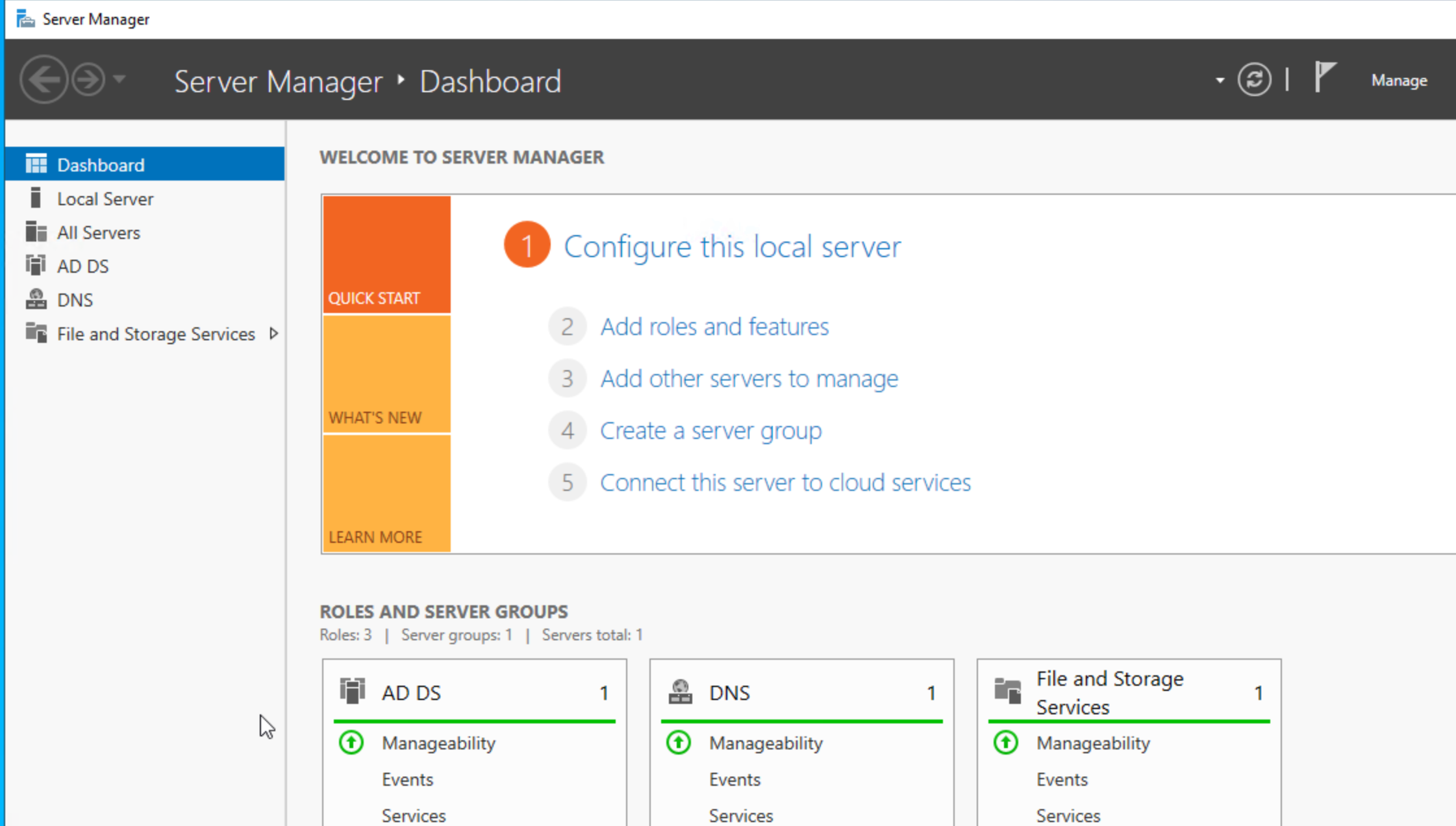
After a reboot you should have these services up and running.
You could run a pre-check script to make sure everything is done before you start with addc02:
run it:
1
2
| Set-ExecutionPolicy Bypass -Scope Process -Force
.\PreCheck-ADDS-Lab.ps1
|
 1
 2
 3
 4
 5
 6
 7
 8
 9
10
11
12
13
14
15
16
17
18
19
20
21
22
23
24
25
26
27
28
29
30
31
32
33
34
35
36
37
38
39
40
41
42
43
44
45
46
47
48
49
50
51
52
53
54
55
56
57
58
59
60
61
62
63
64
65
66
67
68
69
70
71
72
73
74
75
76
| #requires -RunAsAdministrator
$ErrorActionPreference = "Stop"
$DomainName = "bervid.local"
$ComputerName = "addc01"
$ServerIPv4 = "xx.3.xx.10"
$ReverseZoneName = "xx.3.xx.in-addr.arpa"
$ExpectedUsers = @("bervid","user1","user2","user3")
function Write-Step {
param([string]$Message)
Write-Host ""
Write-Host "=== $Message ===" -ForegroundColor Cyan
}
function Get-BaseDN {
$parts = $DomainName.Split(".")
($parts | ForEach-Object { "DC=$_" }) -join ","
}
Import-Module ActiveDirectory
Import-Module DnsServer
$baseDN = Get-BaseDN
Write-Step "Checking domain"
Get-ADDomain | Select-Object DNSRoot, NetBIOSName | Format-Table -AutoSize
Write-Step "Checking forward DNS"
Resolve-DnsName "$ComputerName.$DomainName" | Format-Table -AutoSize
Write-Step "Checking reverse DNS zone"
$rev = Get-DnsServerZone -Name $ReverseZoneName -ErrorAction SilentlyContinue
if ($rev) {
Write-Host "Reverse zone exists: $ReverseZoneName"
} else {
Write-Warning "Reverse zone is missing: $ReverseZoneName"
}
Write-Step "Checking PTR for addc01"
try {
Resolve-DnsName $ServerIPv4 | Format-Table -AutoSize
}
catch {
Write-Warning "PTR lookup failed for $ServerIPv4"
}
Write-Step "Checking OUs"
$ous = @("Servers","Users","Service Accounts")
foreach ($ou in $ous) {
$ouDn = "OU=$ou,$baseDN"
$exists = Get-ADOrganizationalUnit -LDAPFilter "(distinguishedName=$ouDn)" -ErrorAction SilentlyContinue
if ($exists) {
Write-Host "OU exists: $ouDn"
} else {
Write-Warning "OU missing: $ouDn"
}
}
Write-Step "Checking users"
foreach ($u in $ExpectedUsers) {
$user = Get-ADUser -Filter "SamAccountName -eq '$u'" -ErrorAction SilentlyContinue
if ($user) {
Write-Host "User exists: $u"
} else {
Write-Warning "User missing: $u"
}
}
Write-Step "Checking Domain Admins membership for bervid"
$da = Get-ADGroupMember "Domain Admins" | Where-Object { $_.SamAccountName -eq "bervid" }
if ($da) {
Write-Host "bervid is a member of Domain Admins"
} else {
Write-Warning "bervid is NOT a member of Domain Admins"
}
|
This should verify if everything is done as expected.
If you still want to add users manually:
 1
 2
 3
 4
 5
 6
 7
 8
 9
10
11
12
13
14
15
16
17
18
19
20
21
22
23
24
25
26
27
28
| Import-Module ActiveDirectory
$DomainName = "bervid.local"
$BaseDN = "DC=bervid,DC=local"
$UsersOU = "OU=Users,$BaseDN"
$Password = ConvertTo-SecureString "VMware123!" -AsPlainText -Force
$Users = @("bervid","user1","user2","user3")
foreach ($u in $Users) {
if (-not (Get-ADUser -Filter "SamAccountName -eq '$u'" -ErrorAction SilentlyContinue)) {
New-ADUser `
-Name $u `
-SamAccountName $u `
-UserPrincipalName "$u@$DomainName" `
-Path $UsersOU `
-AccountPassword $Password `
-Enabled $true `
-PasswordNeverExpires $true
Write-Host "Created user $u"
}
else {
Write-Host "User $u already exists"
}
}
Add-ADGroupMember -Identity "Domain Admins" -Members "bervid" -ErrorAction SilentlyContinue
Write-Host "Added bervid to Domain Admins"
|
Now we can focus on DC02. When we deploy this be sure to run the newsid / sysprep integrated in vCenter or manually on the vm to be sure:
C:\Windows\System32\Sysprep\Sysprep.exe , make sure to check oobe & generalize. IMPORTANT.
Then its the second script:
configures the server with its static IP, gateway, DNS, timezone, NTP, RDP, and basic lab settings
renames the server to addc02 if needed and reboots
verifies DNS and connectivity to the existing DC (addc01)
joins the existing bervid.local domain
installs AD DS and DNS
promotes the server to an additional domain controller
reboots again
updates DNS client settings so it uses itself and the first DC
checks reverse DNS, A/PTR records, forwarders, and basic AD replication health
run it:
1
2
| Set-ExecutionPolicy Bypass -Scope Process -Force
.\Build-ADDS-Lab-DC02-v3.ps1
|
  1
  2
  3
  4
  5
  6
  7
  8
  9
 10
 11
 12
 13
 14
 15
 16
 17
 18
 19
 20
 21
 22
 23
 24
 25
 26
 27
 28
 29
 30
 31
 32
 33
 34
 35
 36
 37
 38
 39
 40
 41
 42
 43
 44
 45
 46
 47
 48
 49
 50
 51
 52
 53
 54
 55
 56
 57
 58
 59
 60
 61
 62
 63
 64
 65
 66
 67
 68
 69
 70
 71
 72
 73
 74
 75
 76
 77
 78
 79
 80
 81
 82
 83
 84
 85
 86
 87
 88
 89
 90
 91
 92
 93
 94
 95
 96
 97
 98
 99
100
101
102
103
104
105
106
107
108
109
110
111
112
113
114
115
116
117
118
119
120
121
122
123
124
125
126
127
128
129
130
131
132
133
134
135
136
137
138
139
140
141
142
143
144
145
146
147
148
149
150
151
152
153
154
155
156
157
158
159
160
161
162
163
164
165
166
167
168
169
170
171
172
173
174
175
176
177
178
179
180
181
182
183
184
185
186
187
188
189
190
191
192
193
194
195
196
197
198
199
200
201
202
203
204
205
206
207
208
209
210
211
212
213
214
215
216
217
218
219
220
221
222
223
224
225
226
227
228
229
230
231
232
233
234
235
236
237
238
239
240
241
242
243
244
245
246
247
248
249
250
251
252
253
254
255
256
257
258
259
260
261
262
263
264
265
266
267
268
269
270
271
272
273
274
275
276
277
278
279
280
281
282
283
284
285
286
287
288
289
290
291
292
293
294
295
296
297
298
299
300
301
302
303
304
305
306
307
308
309
310
311
312
313
314
315
316
317
318
319
320
321
322
323
324
325
326
327
328
329
330
331
332
333
334
335
336
337
338
339
340
341
342
343
344
345
346
347
348
349
350
351
352
353
354
355
356
357
358
359
360
361
| #requires -RunAsAdministrator
param(
[ValidateSet("Stage0","Stage1","Stage2","Stage3")]
[string]$Stage = "Stage0"
)
$ErrorActionPreference = "Stop"
$ComputerName = "addc02"
$DomainName = "bervid.local"
$NetBIOSName = "BERVID"
$ServerIPv4 = "xx.3.xx.11"
$PrefixLength = 24
$DefaultGateway = "xx.3.xx.1"
$InitialPreferredDNS = @("xx.3.xx.10")
$PostPromotionDNS = @("xx.3.xx.11","xx.3.xx.10")
$NtpServer = "ntp.uio.no"
$ReverseNetworkId = "xx.3.xx.0/24"
$ReverseZoneName = "xx.3.xx.in-addr.arpa"
$ExistingDC = "addc01.bervid.local"
$DomainAdminUser = "Administrator"
$DomainAdminPassword = "VMware123!"
$SafeModePassword = "VMware123!"
$DnsForwarders = @("1.1.1.1","8.8.8.8")
$SiteName = "Default-First-Site-Name"
$ScriptPath = $MyInvocation.MyCommand.Path
$TranscriptPath = "C:\Build-ADDS-Lab-DC02-v3.log"
$TaskStage1 = "Build-ADDS-Lab-DC02-v3-Stage1"
$TaskStage2 = "Build-ADDS-Lab-DC02-v3-Stage2"
$TaskStage3 = "Build-ADDS-Lab-DC02-v3-Stage3"
Start-Transcript -Path $TranscriptPath -Append | Out-Null
if ($PSVersionTable.PSEdition -ne 'Desktop') {
throw "Run this in Windows PowerShell 5.1 (powershell.exe), not pwsh."
}
function Write-Step { param([string]$Message) Write-Host ""; Write-Host "=== $Message ===" -ForegroundColor Cyan }
function Register-StartupTask {
param([string]$TaskName,[string]$NextStage)
$action = New-ScheduledTaskAction -Execute "PowerShell.exe" -Argument "-ExecutionPolicy Bypass -File `"$ScriptPath`" -Stage $NextStage"
$trigger = New-ScheduledTaskTrigger -AtStartup
$principal = New-ScheduledTaskPrincipal -UserId "SYSTEM" -LogonType ServiceAccount -RunLevel Highest
$task = New-ScheduledTask -Action $action -Trigger $trigger -Principal $principal
Register-ScheduledTask -TaskName $TaskName -InputObject $task -Force | Out-Null
}
function Remove-StartupTask {
param([string]$TaskName)
Unregister-ScheduledTask -TaskName $TaskName -Confirm:$false -ErrorAction SilentlyContinue
}
function Ensure-StaticIP {
param([string[]]$DnsServers)
Write-Step "Checking IPv4 configuration"
$adapter = Get-NetAdapter | Where-Object Status -eq "Up" | Sort-Object ifIndex | Select-Object -First 1
if (-not $adapter) { throw "No active network adapter found." }
$existing = Get-NetIPAddress -InterfaceIndex $adapter.ifIndex -AddressFamily IPv4 -ErrorAction SilentlyContinue |
Where-Object { $_.IPAddress -ne "127.0.0.1" -and $_.IPAddress -notlike "169.254*" }
if (-not $existing -or ($existing | Select-Object -First 1).IPAddress -ne $ServerIPv4) {
$existing | ForEach-Object {
try { Remove-NetIPAddress -InterfaceIndex $adapter.ifIndex -IPAddress $_.IPAddress -Confirm:$false -ErrorAction Stop } catch {}
}
Get-NetRoute -InterfaceIndex $adapter.ifIndex -DestinationPrefix "0.0.0.0/0" -ErrorAction SilentlyContinue |
Remove-NetRoute -Confirm:$false -ErrorAction SilentlyContinue
New-NetIPAddress -InterfaceIndex $adapter.ifIndex -IPAddress $ServerIPv4 -PrefixLength $PrefixLength -DefaultGateway $DefaultGateway | Out-Null
}
Set-DnsClientServerAddress -InterfaceIndex $adapter.ifIndex -ServerAddresses $DnsServers
}
function Disable-Firewall {
Write-Step "Checking Windows Defender Firewall"
if (Get-NetFirewallProfile | Where-Object Enabled -eq "True") {
Set-NetFirewallProfile -Profile Domain,Private,Public -Enabled False
}
}
function Disable-IESecurity {
Write-Step "Disabling IE Enhanced Security Configuration"
$adminKey = "HKLM:\SOFTWARE\Microsoft\Active Setup\Installed Components\{A509B1A7-37EF-4B3F-8CFC-4F3A74704073}"
$userKey = "HKLM:\SOFTWARE\Microsoft\Active Setup\Installed Components\{A509B1A8-37EF-4B3F-8CFC-4F3A74704073}"
foreach ($key in @($adminKey, $userKey)) {
if (Test-Path $key) { Set-ItemProperty -Path $key -Name "IsInstalled" -Value 0 -Type DWord }
}
}
function Enable-RDP {
Write-Step "Enabling Remote Desktop"
Set-ItemProperty -Path "HKLM:\System\CurrentControlSet\Control\Terminal Server" -Name "fDenyTSConnections" -Value 0
Enable-NetFirewallRule -DisplayGroup "Remote Desktop" -ErrorAction SilentlyContinue | Out-Null
}
function Set-TimeConfig {
Write-Step "Configuring time zone and NTP"
tzutil /s "W. Europe Standard Time"
w32tm /config /manualpeerlist:$NtpServer /syncfromflags:manual /update | Out-Null
Restart-Service w32time -Force
Start-Sleep -Seconds 3
w32tm /resync /force | Out-Null
}
function Ensure-HostNameOrReboot {
Write-Step "Setting hostname"
if ($env:COMPUTERNAME -ne $ComputerName) {
Rename-Computer -NewName $ComputerName -Force
Remove-StartupTask -TaskName $TaskStage1
Remove-StartupTask -TaskName $TaskStage2
Remove-StartupTask -TaskName $TaskStage3
Register-StartupTask -TaskName $TaskStage1 -NextStage "Stage1"
Restart-Computer -Force
exit
}
}
function Wait-ForDNSAndDC {
Write-Step "Waiting for DNS and existing domain controller"
$max = 30; $count = 0
do {
Start-Sleep -Seconds 10
$count++
$dnsOk = $false
$dcOk = $false
try { Resolve-DnsName $ExistingDC -ErrorAction Stop | Out-Null; $dnsOk = $true } catch {}
try { nltest /dsgetdc:$DomainName | Out-Null; $dcOk = $true } catch {}
} until (($dnsOk -and $dcOk) -or $count -ge $max)
if (-not ($dnsOk -and $dcOk)) {
throw "Could not verify DNS and DC reachability for $DomainName"
}
}
function New-DomainCredential {
$user = "$DomainAdminUser@$DomainName"
$securePwd = ConvertTo-SecureString $DomainAdminPassword -AsPlainText -Force
New-Object System.Management.Automation.PSCredential($user, $securePwd)
}
function Test-DomainCredential {
param([System.Management.Automation.PSCredential]$Credential)
Write-Step "Validating domain credentials"
try {
if (Get-PSDrive -Name "ADTEST" -ErrorAction SilentlyContinue) {
Remove-PSDrive -Name "ADTEST" -ErrorAction SilentlyContinue
}
$null = New-PSDrive -Name "ADTEST" -PSProvider FileSystem -Root "\\$ExistingDC\SYSVOL" -Credential $Credential -ErrorAction Stop
Remove-PSDrive -Name "ADTEST" -ErrorAction SilentlyContinue
} catch {
throw "Domain credential validation failed against \\$ExistingDC\SYSVOL"
}
}
function Join-DomainAndReboot {
Write-Step "Joining existing domain"
$currentComputerSystem = Get-CimInstance Win32_ComputerSystem
if ($currentComputerSystem.PartOfDomain -and $currentComputerSystem.Domain -ieq $DomainName) {
Write-Host "Server is already joined to $DomainName"
return
}
$cred = New-DomainCredential
Test-DomainCredential -Credential $cred
Remove-StartupTask -TaskName $TaskStage2
Register-StartupTask -TaskName $TaskStage2 -NextStage "Stage2"
Add-Computer -DomainName $DomainName -Credential $cred -Force
Restart-Computer -Force
exit
}
function Install-ADDSAndPromote {
Write-Step "Installing AD DS and DNS"
Import-Module ServerManager -ErrorAction Stop
Install-WindowsFeature AD-Domain-Services, DNS -IncludeManagementTools
Remove-StartupTask -TaskName $TaskStage3
Register-StartupTask -TaskName $TaskStage3 -NextStage "Stage3"
Write-Step "Promoting server to additional domain controller"
$cred = New-DomainCredential
$smPwd = ConvertTo-SecureString $SafeModePassword -AsPlainText -Force
Install-ADDSDomainController `
-DomainName $DomainName `
-Credential $cred `
-InstallDns `
-SafeModeAdministratorPassword $smPwd `
-SiteName $SiteName `
-Force `
-NoRebootOnCompletion:$false
}
function Wait-ForAD {
Write-Step "Waiting for Active Directory services"
$max = 30; $count = 0
do {
Start-Sleep -Seconds 10
$count++
$adReady = Get-Service NTDS -ErrorAction SilentlyContinue
} until (($adReady -and $adReady.Status -eq 'Running') -or $count -ge $max)
if (-not $adReady -or $adReady.Status -ne 'Running') {
throw "Active Directory services did not become ready in time."
}
}
function Ensure-ReverseZone {
Write-Step "Checking reverse lookup zone"
Import-Module DnsServer
$zone = Get-DnsServerZone -Name $ReverseZoneName -ErrorAction SilentlyContinue
if (-not $zone) {
Add-DnsServerPrimaryZone -NetworkId $ReverseNetworkId -ReplicationScope "Domain"
}
}
function Ensure-DNSRecords {
Write-Step "Ensuring A and PTR records for addc02"
Import-Module DnsServer
$aRecord = Get-DnsServerResourceRecord -ZoneName $DomainName -Name $ComputerName -RRType "A" -ErrorAction SilentlyContinue
if (-not $aRecord) {
Add-DnsServerResourceRecordA -ZoneName $DomainName -Name $ComputerName -IPv4Address $ServerIPv4
}
$lastOctet = ($ServerIPv4 -split '\.')[-1]
$existingPTR = Get-DnsServerResourceRecord -ZoneName $ReverseZoneName -Name $lastOctet -RRType PTR -ErrorAction SilentlyContinue
if (-not $existingPTR) {
Add-DnsServerResourceRecordPtr -ZoneName $ReverseZoneName -Name $lastOctet -PtrDomainName "$ComputerName.$DomainName"
}
}
function Set-DNSForwarders {
Write-Step "Configuring DNS forwarders"
Import-Module DnsServer
$current = (Get-DnsServerForwarder -ErrorAction SilentlyContinue).IPAddress.IPAddressToString
if ((@($current) -join ",") -ne (@($DnsForwarders) -join ",")) {
Set-DnsServerForwarder -IPAddress $DnsForwarders -UseRecurse $true
}
}
function Set-PostPromotionDNSClient {
Write-Step "Configuring post-promotion DNS client settings"
$adapter = Get-NetAdapter | Where-Object Status -eq "Up" | Sort-Object ifIndex | Select-Object -First 1
if (-not $adapter) { throw "No active network adapter found." }
Set-DnsClientServerAddress -InterfaceIndex $adapter.ifIndex -ServerAddresses $PostPromotionDNS
}
function Add-CheckResult {
param([string]$Name,[bool]$Passed,[string]$Detail)
[PSCustomObject]@{ Check=$Name; Status=$(if($Passed){"PASS"}else{"FAIL"}); Detail=$Detail }
}
function Final-Checks {
Write-Step "Final validation summary"
Import-Module ActiveDirectory
Import-Module DnsServer
$results = @()
$results += Add-CheckResult "Hostname" ($env:COMPUTERNAME -eq $ComputerName) $env:COMPUTERNAME
try {
$domain = Get-ADDomain
$results += Add-CheckResult "Domain reachable" ($domain.DNSRoot -eq $DomainName) $domain.DNSRoot
} catch {
$results += Add-CheckResult "Domain reachable" $false $_.Exception.Message
}
$dcJoined = (Get-CimInstance Win32_ComputerSystem).PartOfDomain
$results += Add-CheckResult "Domain joined" $dcJoined $((Get-CimInstance Win32_ComputerSystem).Domain)
$aRecord = Get-DnsServerResourceRecord -ZoneName $DomainName -Name $ComputerName -RRType "A" -ErrorAction SilentlyContinue
$results += Add-CheckResult "A record addc02" ([bool]$aRecord) "$ComputerName.$DomainName"
$rev = Get-DnsServerZone -Name $ReverseZoneName -ErrorAction SilentlyContinue
$results += Add-CheckResult "Reverse zone" ([bool]$rev) $ReverseZoneName
$lastOctet = ($ServerIPv4 -split '\.')[-1]
$ptr = Get-DnsServerResourceRecord -ZoneName $ReverseZoneName -Name $lastOctet -RRType PTR -ErrorAction SilentlyContinue
$results += Add-CheckResult "PTR record addc02" ([bool]$ptr) $ServerIPv4
try {
$repl = repadmin /replsummary 2>&1 | Out-String
$results += Add-CheckResult "Replication summary ran" $true "repadmin /replsummary completed"
} catch {
$results += Add-CheckResult "Replication summary ran" $false $_.Exception.Message
}
$currentForwarders = (Get-DnsServerForwarder -ErrorAction SilentlyContinue).IPAddress.IPAddressToString
$forwardersOk = ((@($currentForwarders) -join ",") -eq (@($DnsForwarders) -join ","))
$results += Add-CheckResult "DNS forwarders" $forwardersOk (@($currentForwarders) -join ", ")
$results | Format-Table -AutoSize
$failCount = @($results | Where-Object Status -eq "FAIL").Count
if ($failCount -eq 0) {
Write-Host "`nDC02 build summary: SUCCESS" -ForegroundColor Green
} else {
Write-Host "`nDC02 build summary: COMPLETED WITH ISSUES ($failCount failed checks)" -ForegroundColor Yellow
}
}
switch ($Stage) {
"Stage0" {
Write-Step "Stage 0 starting"
Ensure-StaticIP -DnsServers $InitialPreferredDNS
Disable-Firewall
Disable-IESecurity
Enable-RDP
Set-TimeConfig
Ensure-HostNameOrReboot
Wait-ForDNSAndDC
Join-DomainAndReboot
}
"Stage1" {
Write-Step "Stage 1 starting"
Remove-StartupTask -TaskName $TaskStage1
Ensure-StaticIP -DnsServers $InitialPreferredDNS
Disable-Firewall
Disable-IESecurity
Enable-RDP
Set-TimeConfig
Wait-ForDNSAndDC
Join-DomainAndReboot
Install-ADDSAndPromote
}
"Stage2" {
Write-Step "Stage 2 starting"
Remove-StartupTask -TaskName $TaskStage2
Ensure-StaticIP -DnsServers $InitialPreferredDNS
Disable-Firewall
Disable-IESecurity
Enable-RDP
Set-TimeConfig
Wait-ForDNSAndDC
Install-ADDSAndPromote
}
"Stage3" {
Write-Step "Stage 3 starting"
Remove-StartupTask -TaskName $TaskStage3
Wait-ForAD
Set-PostPromotionDNSClient
Ensure-ReverseZone
Ensure-DNSRecords
Set-DNSForwarders
Final-Checks
}
}
Stop-Transcript | Out-Null
|
If all goes well you should now be up and running with 2 synced DC/AD/DNS servers for your lab.
The last thing was DNS records.
i was missing PTR record for my mgmt subnet, so i had to create that.
1
| Add-DnsServerPrimaryZone -NetworkId "10.3.10.0/24" -ReplicationScope "Domain"
|
then i could run an import of all the different VCF services. I ran this on my addc01 server to easily prepare for the VCF install.
This creates an A record with PTR
 1
 2
 3
 4
 5
 6
 7
 8
 9
10
11
12
13
14
15
16
17
18
19
20
21
22
23
24
25
26
27
28
29
30
31
32
33
34
35
36
37
38
39
40
41
42
43
44
45
46
47
48
49
50
51
52
53
54
55
56
57
58
59
60
61
62
63
64
65
66
67
68
69
70
71
72
73
74
75
76
77
78
79
80
81
82
83
84
85
86
| Import-Module DnsServer
$ZoneName = "lab.local"
$ReverseZone = "10.168.192.in-addr.arpa"
$Records = @(
@{ Name = "mgmt01"; IP = "192.168.10.20" }
@{ Name = "vc01"; IP = "192.168.10.21" }
@{ Name = "host01"; IP = "192.168.10.22" }
@{ Name = "host02"; IP = "192.168.10.23" }
@{ Name = "host03"; IP = "192.168.10.24" }
@{ Name = "host04"; IP = "192.168.10.25" }
@{ Name = "host05"; IP = "192.168.10.26" }
@{ Name = "host06"; IP = "192.168.10.27" }
@{ Name = "host07"; IP = "192.168.10.28" }
@{ Name = "host08"; IP = "192.168.10.29" }
@{ Name = "ops01"; IP = "192.168.10.30" }
@{ Name = "ops02"; IP = "192.168.10.31" }
@{ Name = "ops03"; IP = "192.168.10.32" }
@{ Name = "auto01"; IP = "192.168.10.33" }
@{ Name = "log01"; IP = "192.168.10.34" }
@{ Name = "net01"; IP = "192.168.10.35" }
@{ Name = "repo01"; IP = "192.168.10.36" }
@{ Name = "svc01"; IP = "192.168.10.37" }
@{ Name = "idm01"; IP = "192.168.10.38" }
@{ Name = "idm02"; IP = "192.168.10.39" }
@{ Name = "idm03"; IP = "192.168.10.40" }
@{ Name = "dns01"; IP = "192.168.10.41" }
@{ Name = "dns02"; IP = "192.168.10.42" }
@{ Name = "gw01"; IP = "192.168.10.43" }
@{ Name = "gw02"; IP = "192.168.10.44" }
@{ Name = "jump01"; IP = "192.168.10.45" }
@{ Name = "backup01"; IP = "192.168.10.46" }
@{ Name = "proxy01"; IP = "192.168.10.47" }
@{ Name = "edge01"; IP = "192.168.10.48" }
@{ Name = "edge02"; IP = "192.168.10.49" }
)
foreach ($rec in $Records) {
$existingA = Get-DnsServerResourceRecord -ZoneName $ZoneName -Name $rec.Name -RRType "A" -ErrorAction SilentlyContinue
if (-not $existingA) {
Add-DnsServerResourceRecordA `
-ZoneName $ZoneName `
-Name $rec.Name `
-IPv4Address $rec.IP
Write-Host "Created A record: $($rec.Name).$ZoneName -> $($rec.IP)"
}
else {
Write-Host "A record already exists: $($rec.Name).$ZoneName"
}
}
foreach ($rec in $Records) {
$lastOctet = ($rec.IP -split '\.')[-1]
$fqdn = "$($rec.Name).$ZoneName"
$existingPTR = Get-DnsServerResourceRecord -ZoneName $ReverseZone -Name $lastOctet -RRType "PTR" -ErrorAction SilentlyContinue
if (-not $existingPTR) {
Add-DnsServerResourceRecordPtr `
-ZoneName $ReverseZone `
-Name $lastOctet `
-PtrDomainName $fqdn
Write-Host "Created PTR record: $($rec.IP) -> $fqdn"
}
else {
Write-Host "PTR record already exists for: $($rec.IP)"
}
}
Write-Host ""
Write-Host "Verification:" -ForegroundColor Cyan
foreach ($rec in $Records) {
$fqdn = "$($rec.Name).$ZoneName"
try {
Resolve-DnsName $fqdn -ErrorAction Stop | Out-Null
Write-Host "Resolved OK: $fqdn"
}
catch {
Write-Host "Resolution failed: $fqdn" -ForegroundColor Yellow
}
}
|
Ok , now we are ready for the next step, which is nested host-install.